Automating Payment Reconciliation: How Your Finance Team Saves Real Time
You probably know the scenario: every morning, your finance team sits down, opens the banking app, checks Salesforce, and tries to match incoming payments with open invoices. It's not just annoying, it costs your department hours every month. In this guide, I'll show you how automating payment reconciliation works and why it should no longer be optional for finance teams.
The Most Important Things at a Glance
What is payment reconciliation?
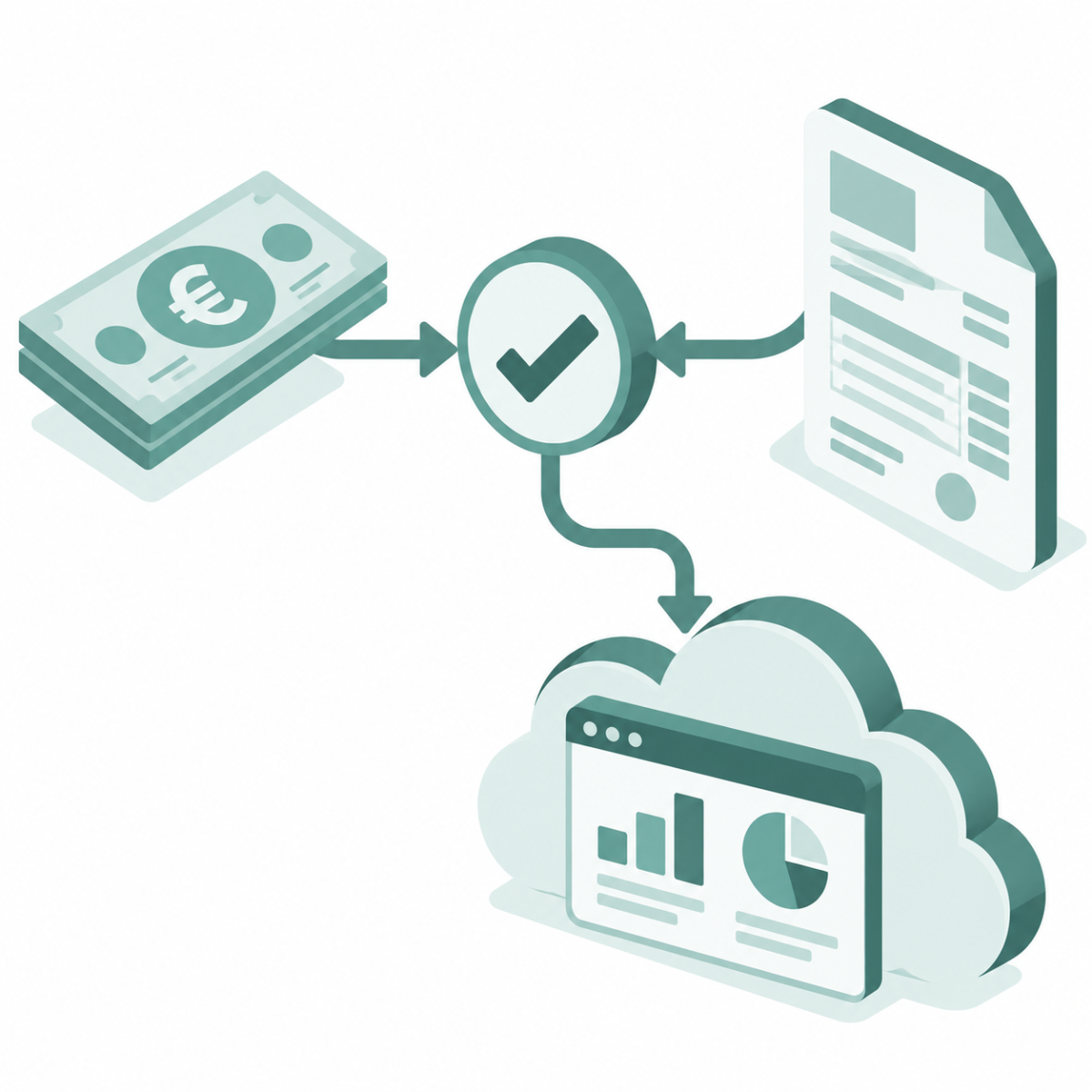
Payment reconciliation means checking which payments have arrived in your bank accounts and linking them, automatically or manually, to your open invoices in Salesforce. If the amount is fully covered, the invoice is marked as paid; for partial payments, the behavior is configurable.
Why does automation make sense?
Because manual reconciliation is error-prone, takes enormous amounts of time, and keeps your team away from strategic work. With automation, the effort drops by up to 90%, provided the payment can be clearly matched to an open invoice based on characteristics like the invoice number in the payment reference.
How does this work technically?
A banking app like millio connects your bank accounts to Salesforce via secure APIs and automatically matches incoming and outgoing payments with your invoices, based on amounts, reference numbers, and IBAN.
Can I control this from within Salesforce?
Yes, with a native Salesforce banking app like millio, you never have to switch between your bank's website and Salesforce again.
 X
X
The Problem: Manual Payment Reconciliation Costs Time and Creates Errors
Let me make this tangible. Imagine your finance team processes 200 incoming payments per month. That's not an unrealistic number for SMBs with multiple customers.
Each incoming payment requires the following manual steps:
1. Open the banking app, note down payment details (1 minute)
2. Switch to Salesforce (1 minute)
3. Find the right invoice (1 minute)
4. Manually link or reconcile (1 minute)
That's 4 minutes per incoming payment. At 200 payments per month:
- 200 × 4 minutes = 800 minutes
- That's 13 hours and 20 minutes per month
- Or 160 hours per year
- That's 20 full working days per year, just for payment reconciliation
And that assumes nothing goes wrong. In reality:
- Payments arrive without a reference number
- Amounts don't match exactly (early payment discounts, invoice adjustments)
- Your team forgets to reconcile individual payments
- Errors happen because the department is stressed and the task is tedious
This error rate means customer conversations, rework, and longer billing cycles. That costs real money.
What Is Payment Reconciliation, Exactly? (Short Definition)
Payment reconciliation is an accounting process where you check:
- Which payments have arrived in my bank accounts?
- Which invoices do these payments correspond to?
- Are there discrepancies I need to resolve manually?
A typical manual payment reconciliation process looks like this:
1. You export transactions from your bank
2. You compare them against your open receivables in Excel or Salesforce
3. You check whether the amount, customer data, and reference number match
4. You manually book the payment against the invoice
This works, but it's time-consuming, error-prone, and doesn't scale.
Typical Manual Processes and Their Weaknesses
The Excel Matching Disaster
Many SMBs still work with Excel lists. One employee exports bank data daily, compares it against a sheet of open invoices, and eventually checks things off manually.
Problems:
- No real-time data (Excel is updated daily or weekly)
- No automation across multiple bank accounts
- Copy-paste errors
- No audit trail: nobody sees who changed what and when
The Bank-Salesforce Switch
Your team works in Salesforce, but payments land at the bank. The solution? Constantly switching back and forth between two systems.
Problems:
- Wasted time (every switch costs focus)
- Source of errors (wrong invoice marked, data forgotten)
- No native notifications (a payment arrives, but nobody notices it directly in Salesforce)
Manual Reconciliation of Discrepancies
What happens when a payment doesn't perfectly match? A customer took a 5% early payment discount? Two invoices paid with a single amount? Then your team has to manually investigate and decide.
Problems:
- No intelligent matching logic
- Duplicate work for complicated cases
- Too much time spent for too little throughput
What Automated Payment Reconciliation Can Really Do
A modern payment reconciliation solution should meet the following requirements:
1. Automatic matching without manual intervention
The system automatically recognizes which payment matches which invoice. It uses:
- Amount matching: Some systems (e.g. millio) only match on an exact amount match, other solutions also match within a predefined tolerance
- Reference matching: The invoice number is recognized from the payment reference
- Configurable mappings: Smaller discrepancies (e.g. hyphens, formatting differences) can be handled via individual mapping rules or formula fields
2. Multi-banking capability
Does your company have accounts at multiple banks? The system should monitor and reconcile all of them simultaneously, not each one separately.
3. Real-time notifications
As soon as a payment arrives, your team is notified. Not buried in email chaos, but directly in Salesforce.
4. SEPA integration
You shouldn't just receive payments, you should also be able to initiate transfers and direct debits directly from the system, without leaving the bank's website.
5. Failed or unclear payments
What about payments that don't match? The system should flag these and present them to your team for manual review, but only the ones that are genuinely problematic. This reduces the work by 90%, not 100%.
6. Audit trail and compliance
Every action should be documented: who reconciled what, and when? This matters for compliance and tax audits.
How millio Automates Payment Reconciliation
millio is a banking and payment reconciliation app for Salesforce that solves exactly this problem, natively, inside Salesforce.
The principle: everything in Salesforce
Instead of shuttling between your bank's website and Salesforce, everything happens in your CRM:
1. Banking connection via finAPI: millio securely connects your bank accounts to Salesforce
2. Automatic matching: Incoming payments are automatically matched against your open invoices
3. Outgoing SEPA payments: You can initiate transfers and direct debits directly from Salesforce
4. Real-time dashboard: Your team always sees which payments have arrived and which are still outstanding
In practice: an example
Your customer XYZ transfers €5,000 for invoice #2024-001. Here's what happens:
1. millio receives the payment from the bank (via finAPI)
2. Automatic matching: millio checks whether an open invoice for €5,000 from XYZ exists
3. Match found: the invoice is automatically marked as paid in Salesforce
4. Notification: your finance team sees the notification in Salesforce
5. Downstream processing: the rest of your process (invoice printing, closing, etc.) continues automatically
Time spent by your team: 0 minutes.
Multi-banking made easy
Do you have accounts at three different banks? millio connects all of them at once:
- Account A: Deutsche Commerzbank
- Account B: ING-DiBa
- Account C: local Sparkasse
All payments flow into your central Salesforce dashboard. One system, multiple banks.
SEPA integration: automating outgoing payments too
With millio, you don't just receive payments, you can also initiate transfers and direct debits directly from Salesforce. This is especially valuable for:
- Vendor payments: You see a vendor invoice in Salesforce? A payment request is created automatically, and paid with one click
- Customer refunds: Does a customer need money back? The payout runs automatically
- Bulk transfers: Multiple payments at once? millio enables batch processing directly from Salesforce
The Full Invoice-to-Cash Process with millio and EasyFlow
The real power unfolds when you combine millio with EasyFlow Invoices, the native invoice management system for Salesforce.
The scenario: end-to-end automation
1. Create an invoice in EasyFlow (native in Salesforce)
2. Set payment terms (e.g. due in 30 days)
3. Invoice sent to the customer
4. Payment arrives in your bank account
5. millio matches it automatically: the payment is matched against the invoice
6. Invoice is closed: EasyFlow marks the invoice as paid
7. Reporting: your CFO sees in real time which invoices are still open and which have been paid
No missed payment goes unnoticed. No manual errors. Everything is documented and traceable.
The combined benefits:
- Time savings: 160+ hours per year just from payment reconciliation
- Lower error rate: no more manual discrepancies
- Better cash flow planning: you see incoming payments in real time
- Faster billing cycles: invoices are closed faster
- No system switching: everything stays in Salesforce
Common Objections, And Why They Don't Hold Up
"This is too complicated for our small finance team."
millio is a native Salesforce app. If your team can use Salesforce, it can use millio. The complexity lies in manual reconciliation, automation makes it easier.
"Our bank isn't supported."
millio uses finAPI, an interface that, according to its own data, connects roughly 5,000 European banks across 11 countries, including nearly all banks in Germany and Austria. Your bank is very likely supported.
"But what if there are errors?"
millio automatically flags payments it can't match automatically. These land in a queue for your team to review. The best of both worlds: automated, but not blind.
"It's too expensive."
160 hours of time savings per year for a finance team cost your company no less than €5,000 to €10,000 per year. The cost of millio is well below that, and that's just payment reconciliation, without counting SEPA payment automation.
The Most Common Mistakes in Manual Payment Reconciliation
Three patterns keep showing up among finance teams, and each one costs more than necessary.
Mistake 1: Payment references aren't consistently required. Without clear instructions to customers (e.g. "always use the invoice number as the payment reference"), payments arrive on the account with no recognizable link. Matching then has to happen manually based on amount and IBAN, and is error-prone.
Solution: Always give invoices a unique reference number, and make sure customers actually use it. A GiroCode (QR code) on the invoice helps: customers scan it with their phone, their banking app opens, and the transfer, including the correct reference number, is automatically pre-filled. Typos or forgotten references largely disappear.
Mistake 2: Early payment discounts aren't handled systematically. When customers deduct a discount and the payment amount deviates from the invoice as a result, automatic matching breaks in many systems. The payment lands in the manual review queue, and stays there.
Solution: Define discount terms (percentage and deadline) on the invoice from the start. If the payment arrives within the discount period and the amount matches the invoice total minus the agreed discount, it can be matched automatically, not via a blanket tolerance threshold, but based on the specifically defined conditions.
Mistake 3: Multiple invoices are settled with a single transfer. A customer transfers €15,000 for three open invoices. Without splitting-matching logic, this payment gets marked as "unassigned."
Solution: Systems like millio support multi-invoice matching, a single payment can be automatically split across multiple open invoices.
Conclusion: Automating Payment Reconciliation Is Not Optional
Automating payment reconciliation is no longer a nice-to-have, it's the norm. Large enterprises have been doing it for years, and SMBs should catch up to stay competitive.
The math is simple:
- Your team loses 160+ hours per year on manual reconciliation
- Errors lead to customer inquiries and delays
- You're planning your cash flow based on outdated data
With a modern banking and payment reconciliation app like millio, chaos becomes structure:
- Payments are matched automatically
- Your team sees incoming payments in real time
- You can also automate outgoing payments (SEPA)
- Everything stays in Salesforce, no system switching required
If you'd like to learn more about millio or see a live demo of the app, you can book a free call with one of our experts here.
Your onlinebanking in Salesforce
Convince yourself of millio in a free demo without obligation. Book your demo now!
Book a demo